Planzr Browser
A distraction-free desktop web browser built exclusively for school computer labs and classrooms. Control student workstations over the local school Wi-Fi with zero cloud latency, one-click attention lock, and kernel-level adblocking.
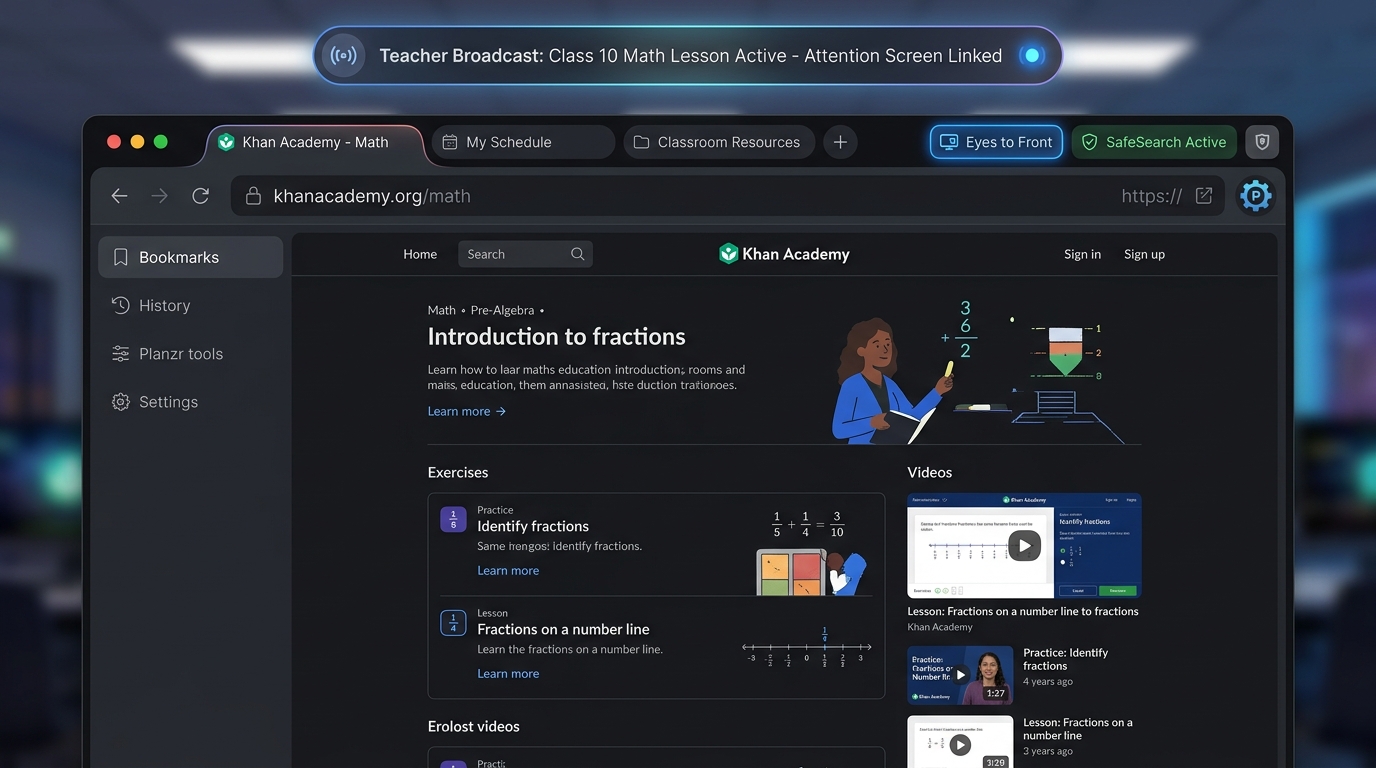
Planzr for Windows
Windows 11 / Windows 10 (64-bit)
Desktop installer with offline mesh networking, silent deployment support, and automated startup options for student workstations and teacher PCs.
- ✓ One-click lab workstation setup with desktop shortcuts
- ✓ Hardware-accelerated rendering & zero cloud telemetry
Planzr for macOS
macOS 11+ (Big Sur, Monterey, Sonoma, Sequoia)
Native universal binary tailored for teacher MacBooks, digital classroom consoles, and administrative workstations with seamless retina display support.
- ✓ Universal binary (Native M1/M2/M3/M4 & Intel x86_64)
- ✓ Standard drag-and-drop .dmg package • No root permissions
Pair with PLANZR Device Manager for Total Lab Lockdown
Schools achieve maximum control by pairing PLANZR Browser with PLANZR Device Manager. While the browser manages digital classroom lessons, adblocking, and attention locks, the Device Manager enforces strict operating system security underneath.
PLANZR Browser (Web & LAN Layer)
Controls the student browsing window, freezes screens into "Eyes to the Front", and broadcasts lesson URLs over school Wi-Fi with zero cloud lag.
PLANZR Device Manager (Windows OS Layer)
Admin installs in their account and configures policies specifically for the student user: toggles allowed software, blocks unauthorized games/USB EXEs, locks wallpapers, and hides Windows Settings.
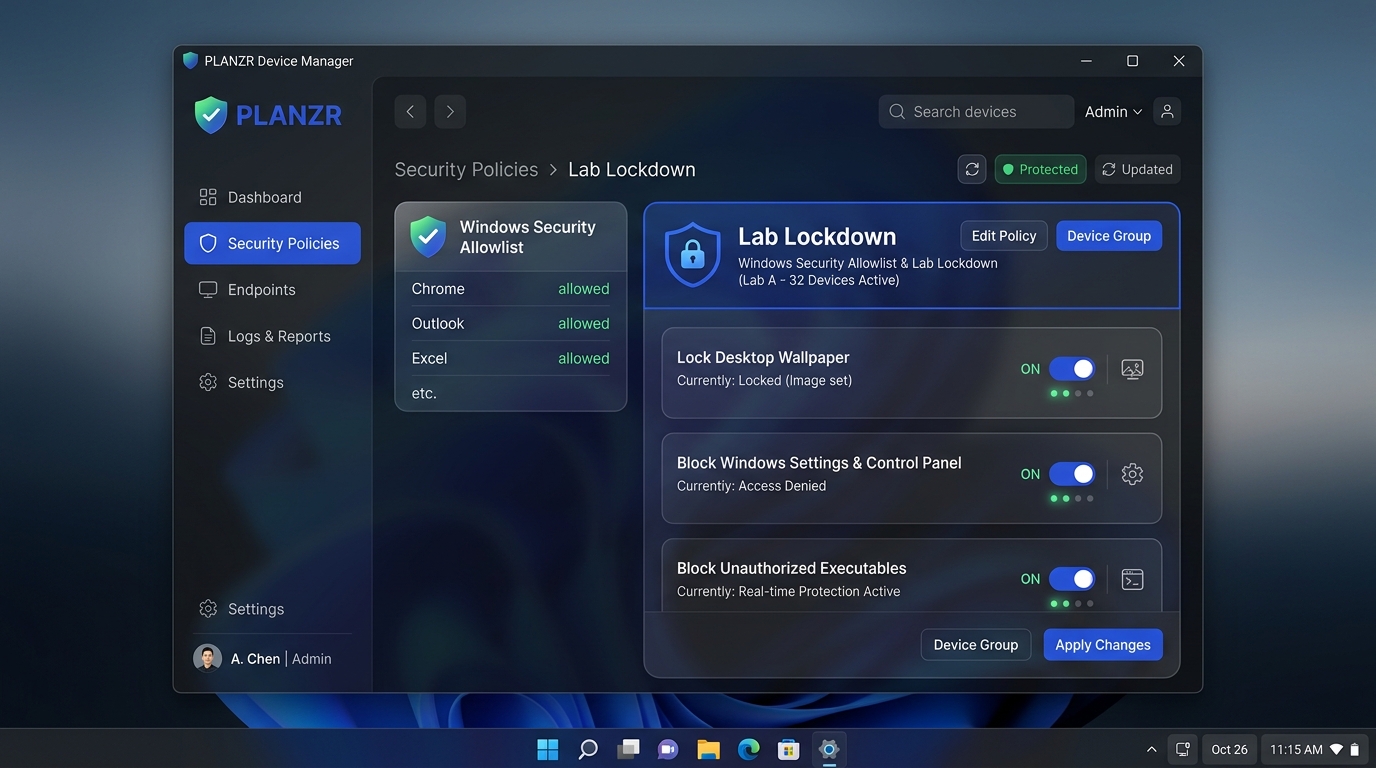
PLANZR Device Manager Setup
103 MB (.exe)Windows 7, 8.1, 10 & 11 (Home & Pro Editions) ✓ Desktop Shortcut & Uninstall support
First-Time Setup Guide
Because PLANZR Browser is distributed directly to schools without public store intermediaries, operating systems require one-time confirmation on initial launch.
Authorizing PLANZR on macOS
macOS Gatekeeper Verification (Apple Silicon & Intel)
Mount & Install
Open PLANZR-Browser.dmg and drag the browser icon into your Applications folder.
Dismiss Gatekeeper
Double-click to open. When macOS displays "Apple could not verify...", simply click Done.
Grant System Trust
Open System Settings → Privacy & Security, scroll down to Security, and click Open Anyway.
For IT Admins & Teachers (Instant Terminal Command)
Run this single command to trust the app instantly without opening System Settings:
xattr -cr /Applications/"PLANZR BROWSER.app"
Authorizing PLANZR on Windows
Microsoft SmartScreen & Silent Lab Deployment (Windows 10 / 11)
Download Installer
Download PLANZR-Browser-Setup.exe and launch the installer file.
Chrome Download Prompt
If Chrome prompts "Suspicious download blocked", click the arrow > and select Download suspicious file (or Keep anyway).
Windows SmartScreen
When the blue "Windows protected your PC" prompt appears, click More info, then click Run anyway.
Computer Lab Admins (Silent Auto-Install)
Automate deployment across student workstations with zero prompts:
PLANZR-Browser-Setup.exe /S
Computer Lab Best Practice: Dual-Layer Defense
Run PLANZR Device Manager on each Windows workstation to lock student accounts into approved software (e.g. PLANZR Browser, Office, Python). Any unauthorized game, executable download, or USB application is instantly blocked by Windows.
Engineered for Education
Designed from the ground up to solve the real challenges teachers and IT administrators face in school computer labs.
How the Local Classroom Mesh Operates
Unlike cloud-based management tools that lag or crash when school broadband slows down, Planzr Browser operates directly over your existing classroom router via low-latency local UDP packets.
- ✓ Teacher Console: One-click lesson broadcast and Attention Screen Lock.
- ✓ Student Workstations: Synchronize simultaneously in under 200ms with zero cloud delay.
- ✓ Outage Proof: Classroom lessons and screen controls continue even during external internet blackouts.
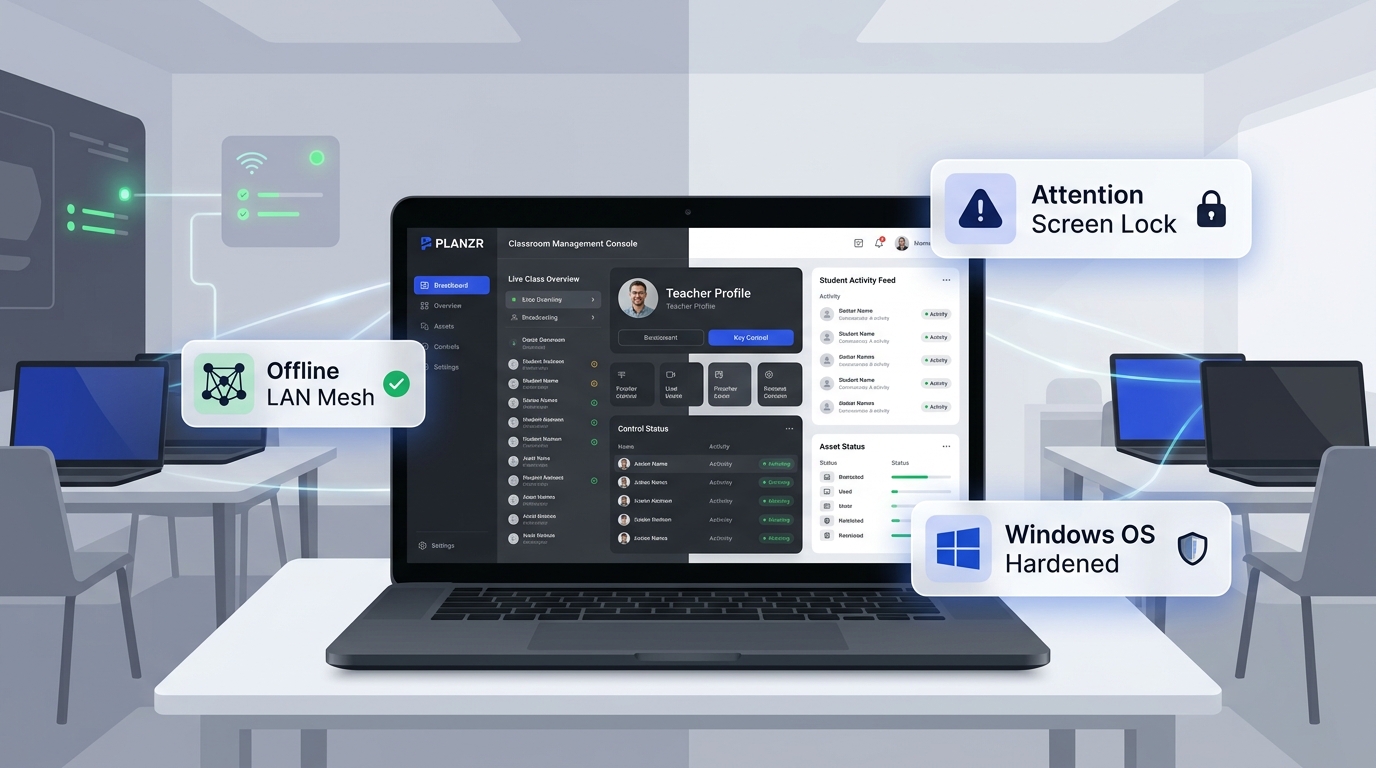
Offline LAN Mesh
Zero cloud server reliance. The teacher console talks directly to student computers via local Wi-Fi UDP packets. Works even if the external school internet connection drops.
Attention Screen Lock
Stop competing with student screens. In one click, the teacher freezes student monitors into an undistracted "Eyes to the Front" full-screen alert.
Instant Lesson Push
Broadcast any lesson link (Khan Academy, NCERT, PhET, Wikipedia) directly to every student screen simultaneously in under 0.2 seconds.
Native Adblocker
Integrated Ghostery engine blocks popups, video commercials, and third-party tracking pixels before they reach the student's screen.
Exam Mode Kiosk
Turn standard computer labs into unbreakable proctoring kiosks. Disables external navigation, new tabs, and DevTools during CBSE and internal exams.
Lab Channel Governance
Cleanly partition Computer Lab A, Computer Lab B, and Physics Lab. A teacher broadcasting to Lab A never interferes with other classes across the school.
Comparison
How Planzr Browser compares to standard consumer web browsers in school environments.
| Capability | Planzr Browser | Consumer Browsers (Chrome / Edge) |
|---|---|---|
| Teacher Screen Lock (Eyes-Up) | ✓ Built-in (Local LAN) | ✗ Requires costly third-party software |
| Offline Local School Network | ✓ 100% Offline Capable | ✗ Constant cloud connection required |
| Built-in Ad & Tracker Blocker | ✓ Native Ghostery Engine | ⚠ Browser extensions (easily disabled) |
| Exam Proctoring Kiosk Mode | ✓ Native Kiosk Lock | ✗ Separate lockdown browser required |
| Cost & Licensing for Schools | Free for Schools | Expensive per-seat subscriptions |
Quick Setup
Deploy across school computer labs in three straightforward steps.
Install Application
Download the Windows setup or macOS DMG and install Planzr on student workstations and teacher devices.
Assign Lab Room
Open the Admin Console once on each machine to assign its room (e.g. Computer Lab A). It saves permanently.
Teach & Broadcast
Teachers launch the Broadcast console, select their class, and broadcast lessons or lock screens with zero lag.
Ready to upgrade your school labs?
Download the browser for your school workstations or contact our team for assistance with lab-wide deployment.